


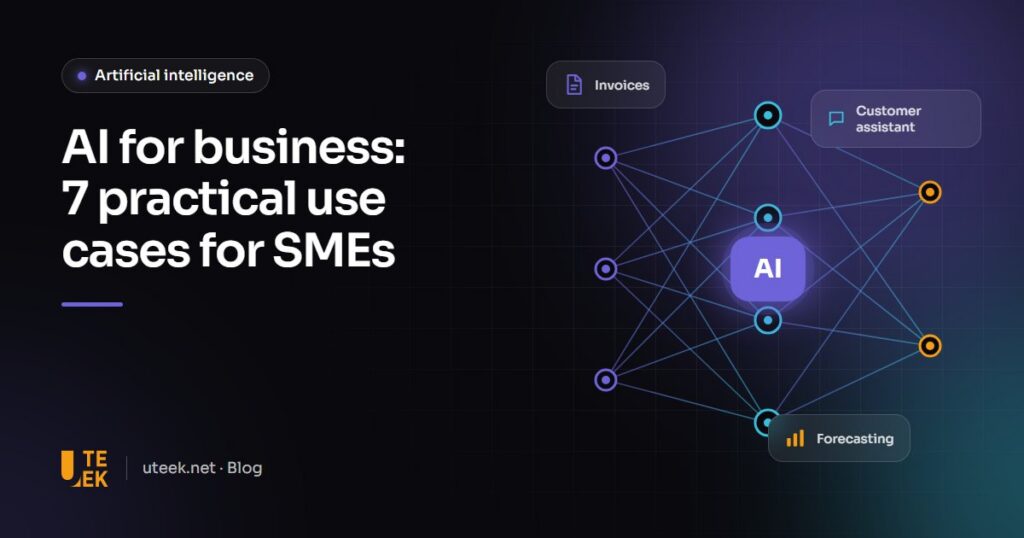
AI for business is no longer reserved for large corporations. For a small or medium-sized company, the most profitable projects are rarely spectacular: they automate repetitive tasks, speed up access to information and improve customer service. The key is to start from a measurable business problem, not from the technology.
Key takeaways
- The most profitable use cases: customer assistant, document processing, internal search, request routing and forecasting.
- A first project should target a measurable gain (time, cost, response time) on a limited scope.
- A proof of concept lasting a few weeks validates the value before you invest further.
- Personal data must be handled in line with the applicable regulations, such as the GDPR for European customers.
Where should you start with AI?
List the tasks that consume most of your team’s time and follow fairly stable rules: answering the same questions, re-entering information, looking for a document, sorting requests. These are the best candidates. For each one, estimate the volume (how many times a month?) and the time spent: this gives you a first estimate of the potential gain.
7 practical AI use cases for SMEs
1. A customer assistant available 24/7
A chatbot connected to your knowledge base (catalogue, terms of sale, procedures) answers frequently asked questions on your website, WhatsApp or Messenger. Thanks to large language models, it understands English, French and Arabic, including loosely worded questions. Complex requests are handed over to an agent along with the conversation history.
2. Automated document processing
Supplier invoices, purchase orders, CVs, scanned forms: AI extracts the useful information (amounts, dates, references, contact details) and sends it straight to your ERP or HR software. Manual data entry, and the errors that come with it, drop sharply.
3. Smart search across internal documents
Quality procedures, contracts, specifications, meeting notes: an AI-powered search engine lets staff ask a question in plain language and get a sourced answer with a link to the original document. New team members become autonomous faster.
4. Writing and marketing assistance
Product descriptions, social media posts, newsletters, English / French translations: generative AI produces first drafts in seconds. Human review remains essential to guarantee accuracy, brand tone and compliance.
5. Sales and inventory forecasting
Using your sales history, seasonality and external factors (promotions, calendar, weather), a machine learning model anticipates demand. You reduce both stock-outs and tied-up inventory.
6. Request sorting and routing
Emails, support tickets, contact forms: AI identifies the topic, urgency and language of each message, then routes it to the right team. First response times fall without additional hiring.
7. Review and satisfaction analysis
Google reviews, surveys, social media comments: AI groups feedback by theme and sentiment, so you quickly see what frustrates your customers and what they value.
Which use case should come first?
| Use case | Main gain | Data required | Complexity |
|---|---|---|---|
| Customer assistant | Availability, response time | FAQs, catalogue, procedures | Medium |
| Document processing | Data-entry time, errors | Sample documents | Medium |
| Internal search | Access to information | Internal documents | Low to medium |
| Writing assistance | Production time | Editorial guidelines | Low |
| Sales forecasting | Inventory, cash flow | Sales history | High |
| Request routing | Support responsiveness | Message history | Low to medium |
| Review analysis | Customer insight | Reviews and surveys | Low |
A 5-step method for your first AI project
- Scope: choose one use case and define the success metric (for example, halving the time needed to process an invoice).
- Prepare the data: gather, clean and secure the documents or history you need.
- Prototype: build a proof of concept on a limited scope, usually within a few weeks.
- Measure: compare the results with the starting point, using real users.
- Scale up: integrate the solution into your tools (website, ERP, CRM), train your teams and set up quality monitoring.
Data, security and compliance
AI projects often handle sensitive data. If you serve European customers, the GDPR applies, and the EU AI Act is gradually introducing obligations based on each system’s level of risk. In Tunisia, where our team is based, personal data processing is governed by Organic Law No. 2004-63 of 27 July 2004 and supervised by the national data protection authority (INPDP).
In practice: share only the data that is strictly necessary, choose providers that do not use your data to train their models, and consider dedicated hosting or open-source models deployed on your own servers for the most confidential information.
FAQ
Do you need a lot of data to use AI?
Not always. Assistants and document search work with your existing documents, without specific training. Forecasting models, on the other hand, need a reliable history, ideally covering several years.
Will AI replace my staff?
In an SME, AI mostly removes low-value tasks: data re-entry, information searches, repetitive answers. The time saved is reinvested in advice, sales and service quality.
Is my data sent to OpenAI or Google?
It depends on the architecture you choose. Business plans from the major providers include commitments not to reuse your data, and open-source models hosted on your own servers are an option when confidentiality requires it.
What is the difference between generative AI and machine learning?
“Classic” machine learning learns to predict or classify from structured data (forecasting, scoring, anomaly detection). Generative AI produces content (text, images, code) and excels at understanding language. Many projects combine both.
Launch your AI project with Uteek
Uteek designs pragmatic artificial intelligence solutions that integrate with your existing tools: assistants, document processing and data analysis. We always start with a scoping phase to identify the most profitable use case. Tell us about your needs.
Related articles
AI chatbot for your website: how it works, integration and limits
A well-designed AI chatbot answers 24/7 from your own content and hands over to a human when needed.…
Launching an e-commerce website in Tunisia: platform, online payments, delivery and compliance
Cash on delivery or online payment, logistics, legal requirements, platform choice: everything to plan when launching an e-commerce…
Website redesign: the SEO checklist to keep your traffic
A poorly prepared redesign can wipe out years of search visibility. Inventory, 301 redirects, testing and monitoring: the…