


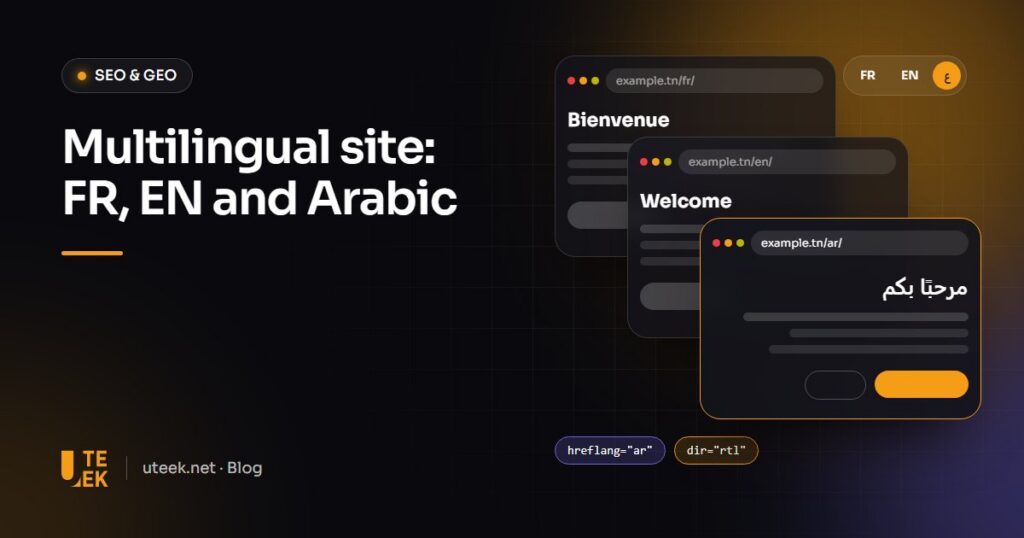
Multilingual website: to rank well and stay easy to use in French, English and Arabic, a site needs one URL per language, linked by hreflang annotations, and must let visitors choose their language. Each version should be fully translated and tailored to how its audience searches. Arabic also requires a genuine right-to-left layout.
Key takeaways
- One URL per language, preferably in subdirectories, linked by hreflang.
- No automatic redirects based on IP or browser settings: suggest, do not impose.
- Translate everything, from title tags to emails, and research keywords in each language.
- Arabic needs dir=”rtl”, a mirrored layout and suitable fonts.
Which URL structure should a multilingual website use?
Google recommends a separate URL for each language version. Its guidance on multilingual sites compares the options:
| Structure | Example | Advantages | Limits |
|---|---|---|---|
| Subdirectories | yoursite.com/ar/ | Simple, single hosting | Versions harder to separate |
| Subdomains | ar.yoursite.com | Separate servers possible | More configuration and monitoring |
| Country domains | yoursite.tn, yoursite.fr | Clear geotargeting | Expensive, one country per domain |
| URL parameters | yoursite.com?lang=ar | Quick to code | Not recommended by Google |
| Same URL, detected language | yoursite.com | No extra addresses | Engines see only one version |
For three language audiences rather than three countries, subdirectories are usually the best compromise. Google works out a page’s language from its visible content, not the lang attribute: keep one language per page.
Should you redirect visitors to their language automatically?
No. Google advises against automatic redirects between languages and against adapting content to IP addresses, which can hide versions from users and search engines. Use the browser language to suggest a version, never to impose one.
A visible language switcher
- Placement: at the top of every page, in the same spot.
- Language names: in their own language (Français, English, العربية).
- No flags: a flag stands for a country, not a language.
- Equivalent page: the link opens the translated page, not the home page.
How do hreflang annotations work?
Hreflang annotations tell Google which pages are translations of each other, so it shows the right version. According to its documentation on localised versions:
- Self-reference: each version lists every version, including itself.
- Reciprocity: if the French page points to the Arabic one, the Arabic page must point back, or the annotations are ignored.
- x-default: hreflang=”x-default” sets the fallback page when no language matches.
Codes follow ISO 639-1 (fr, en, ar), with an optional country code such as ar-TN. One method is enough: HTML code, HTTP headers or the XML sitemap.
What needs translating beyond the main content?
Google warns that translating only menus and buttons creates a poor experience. The opposite oversight is just as common:
- Title tags, meta descriptions and alt text: written for each language.
- Slugs: translated, with a special case for Arabic (see the FAQ).
- Menus, forms and error messages: including plugin ones.
- Structured data: name, description and the inLanguage property.
- Transactional emails: order or contact confirmations.
How do you research keywords in each language?
Do not translate your keywords: research them. In Tunisia, the same need may be searched for in French, Modern Standard Arabic, Tunisian Derja in Latin script, or a mix. Start from real queries: Search Console filters performance by directory (/ar/), and Google Ads Keyword Planner by language.
Machine translation: yes, but reviewed
Unreviewed AI translation produces mistranslations and inconsistent terminology. Google’s spam policies also target content produced at scale, including through automated translation, that adds little value. Have a native speaker review every version.
How do you adapt the Arabic version for right-to-left reading?
The dir and lang attributes
Set dir=”rtl” and lang=”ar” on the html element of Arabic pages. The W3C recommends setting direction in the markup rather than in CSS, so it stays correct without a stylesheet. The lang attribute does not indicate direction.
Mirrored layout and typography
Menu, columns, breadcrumbs, arrows and carousels flip; logos, video play icons and phone numbers do not. CSS logical properties (margin-inline-start, text-align: start) mirror the layout automatically. Choose a font designed for Arabic (Noto Sans Arabic, IBM Plex Sans Arabic), slightly increase size and line height, and avoid letter-spacing, which breaks letter joins.
Bidirectional text and forms
In Arabic text, a Latin word at the end of a sentence or dynamically inserted text can appear out of order: the bdi element and the dir=”auto” attribute fix this. Keep phone and email fields in dir=”ltr” so a number such as +216 71 000 000 stays readable.
Polylang or WPML: how do you manage three languages over time?
On WordPress, Polylang (free, with a paid Pro version) and WPML (paid) link translations, generate hreflang tags and provide a switcher; check that your theme handles Arabic. The hardest part is organisation:
- Write and approve the source content.
- Translate, then have a native speaker review.
- Adapt title, meta description, slug and alt text.
- Check the Arabic page in context.
- Publish all versions together, or hide the missing language.
- Check hreflang and track each language in Search Console.
FAQ
Should page slugs be translated?
Yes in French and English: a readable slug reflects the page topic. An Arabic-script slug works (UTF-8 encoded, as Google asks) but becomes a long encoded string once copied. A short Latin-script slug is an acceptable compromise.
Are translated pages duplicate content?
In principle, no: Google’s documentation only discusses duplicate content for similar pages in the same language, such as two French versions for Tunisia and France. In that case, choose a canonical version and link the variants with hreflang.
Can you add Arabic to an existing website?
Yes, but the theme, plugins and templates must support right-to-left reading, and everything needs testing. If margins are hard-coded to the left throughout, rebuilding the front end can cost less than piling up fixes.
Does a Tunisian audience need an Arabic version?
Not always. If your customers and communication are in French, a partial or poorly reviewed Arabic version will do more harm than good. It is worth it if your keywords or markets call for it, and if you can maintain it.
Build your multilingual website with Uteek
Uteek, a digital agency based in Les Berges du Lac 2, Tunis, designs and develops multilingual websites (French, English, Arabic) on WordPress or custom-built, with UX/UI design suited to right-to-left reading. Explore our web development and graphic design services, or tell us about your project.
Related articles
SEO and GEO in 2026: how to get your website found on Google and cited by AI assistants
GEO doesn't replace SEO, it builds on it. Here is a practical method to get your website found…
Google Business Profile: the complete guide to optimising your listing and attracting local customers
Categories, opening hours, photos, reviews, consistency with your website… A complete Google Business Profile gets you seen on…
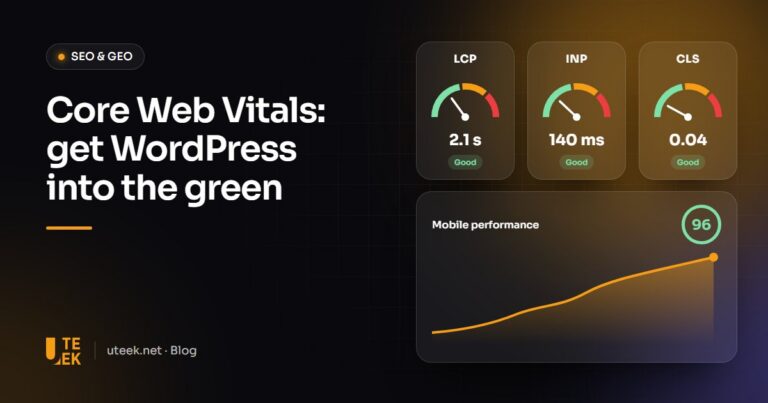
Core Web Vitals: how to speed up a WordPress and Elementor website
LCP, INP and CLS: what Core Web Vitals measure, how to read field data and which practical actions…