


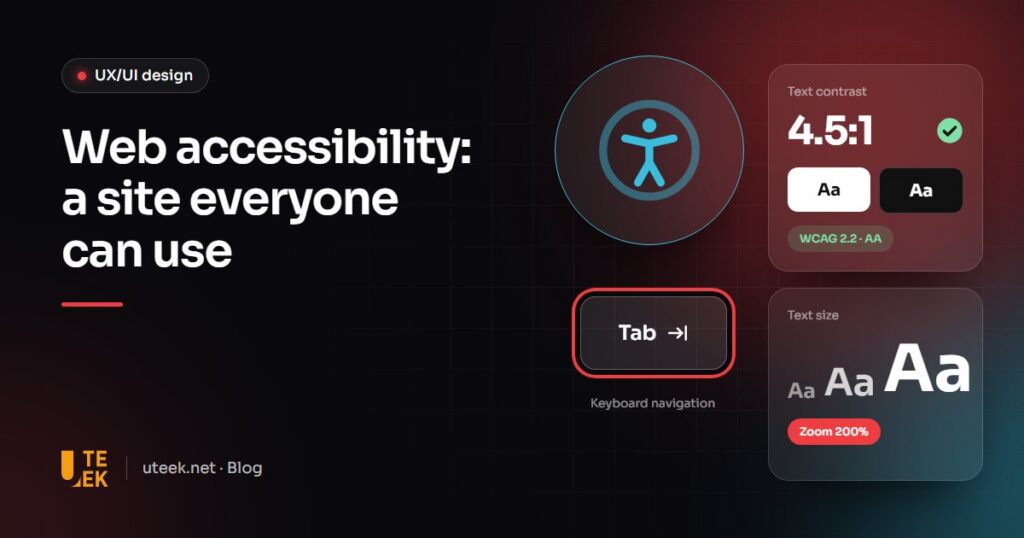
Web accessibility means designing websites and apps that everyone can perceive, understand and use, including people with disabilities. The international benchmark is level AA of WCAG 2.2, published by the W3C. It is also a mark of quality: an accessible website is easier for everyone to use.
Key takeaways
- Accessibility covers permanent disabilities, but also temporary (a broken arm) and situational ones (a screen in bright sunlight).
- WCAG 2.2 level AA is the benchmark, built on four principles: perceivable, operable, understandable, robust.
- Since 28 June 2025, the European Accessibility Act has applied to services including e-commerce aimed at EU consumers.
- Automated tools only catch some issues; manual testing remains essential.
Why does web accessibility matter for every business?
According to the World Health Organization, an estimated 1.3 billion people, or one in six, experience significant disability. But accessibility benefits a much wider audience:
- Older people: declining eyesight, hearing or motor precision.
- Temporary impairments: a wrist in plaster, eye surgery, fatigue.
- Everyday situations: a smartphone in bright sunlight, a video watched without sound, a slow connection.
- Less confident users, whether with digital tools or with the language of the site.
There is a further benefit: a clear heading structure, text alternatives and descriptive links also help search engines and AI answer engines understand your pages.
What does the law say in Europe?
Directive (EU) 2019/882, known as the European Accessibility Act, has applied since 28 June 2025. It covers, among other things, consumer banking services, e-books, certain passenger transport services and e-commerce, meaning any website or mobile app that lets a consumer conclude a purchase at a distance.
It also applies to providers that offer these services to EU consumers without being established in the EU, so a Tunisian company selling online to consumers in the EU is concerned. Micro-enterprises (fewer than 10 people and annual turnover or balance sheet total of no more than 2 million euros) are exempt from the requirements for services.
The technical reference for demonstrating compliance is the European standard EN 301 549, whose version 4.1.1, published in September 2026, aligns with WCAG 2.2 level AA.
WCAG 2.2: the four principles to follow
WCAG 2.2, published by the W3C in October 2023, has three levels (A, AA, AAA); level AA is the usual target for regulations. Its success criteria follow four principles:
- Perceivable: information can be perceived by everyone (text alternatives, captions, contrast).
- Operable: everything works with a keyboard, without excessive time limits or dangerous flashing.
- Understandable: clear text, predictable behaviour, explained errors.
- Robust: the code works with assistive technologies such as screen readers.
Version 2.2 notably adds criteria on focus not being obscured, minimum target size and authentication without memory tests.
The web accessibility checklist
| What to check | What to aim for | How to test |
|---|---|---|
| Text contrast | At least 4.5:1 for body text, 3:1 for large text | Contrast checker, Lighthouse |
| Text alternatives | An alternative for every informative image, empty for decorative images | WAVE, screen reader |
| Keyboard navigation | Everything reachable with Tab, Enter, Space and arrow keys | Browse the page without a mouse |
| Visible focus | The active element is clearly highlighted, never hidden | Keyboard navigation |
| Forms | A label for every field, errors identified and explained | Manual test, axe |
| Heading structure | A logical H1, H2, H3 hierarchy | WAVE, screen reader |
| Videos | Captions for pre-recorded videos | Play with the sound off |
| Zoom | Text readable and functional at 200% | Browser zoom |
| Colour | No information conveyed by colour alone | Greyscale view |
| Language | lang attribute declared (en, fr…) | Code inspection |
| Target size | At least 24 × 24 CSS pixels, with exceptions (sufficient spacing, links within text) | Inspection, axe |
How can you test your website quickly?
- Lighthouse, built into Chrome’s developer tools: an automated audit in seconds.
- WAVE (WebAIM) and axe DevTools (Deque): extensions that flag errors directly on the page.
- Keyboard only: unplug the mouse and complete a key task, such as sending your contact form.
- A screen reader: NVDA (free, on Windows) or VoiceOver (built into Apple devices) reveals missing labels.
An automated tool can measure contrast, but it cannot judge whether alt text is meaningful: always combine both approaches.
A 5-step method
- Audit key journeys (home page, contact, checkout) against WCAG 2.2 AA.
- Prioritise blockers that prevent users from completing a task.
- Fix at component level rather than page by page.
- Build the rules into your design system: contrast, focus states, target sizes, forms.
- Train content editors on alt text, headings and captions.
FAQ
Does my website have to be accessible?
If you offer a service covered by the European Accessibility Act, such as online sales, to consumers in the European Union and you are not a micro-enterprise, very probably yes. Each Member State applies the directive through its own law, so have your situation checked by a lawyer.
Is an accessibility plugin or widget enough?
No. Overlay widgets do not fix problems at the source: code, structure, labels, keyboard navigation. Accessibility is built into design and development.
How long does it take to make a website accessible?
It depends on the size of the site and its technical foundations. Fixing contrast, alt text and labels is often quick; reworking complex components takes longer.
Does accessibility improve SEO?
Indirectly. Google does not present accessibility as a direct ranking factor, but logical headings, text alternatives and descriptive links make your content easier for search engines and AI to understand.
Make your website accessible with Uteek
At Uteek, a digital agency based in Les Berges du Lac 2, Tunis, our UX/UI design and web development teams can audit your website, prioritise fixes and build accessibility into your design system. Request an accessibility audit.
Related articles
Design system: why you need one and how to build it
Tokens, components, documentation, governance: what a design system really is, how it differs from a style guide or…
Brand identity redesign: 10 steps from audit to launch
Dated logo, inconsistent materials, new positioning? From audit to trademark filing, here are the 10 steps of a…
User testing: how to validate your website or app before launch
Internal opinions cannot validate a user journey. When to test, how many participants, which methods and what to…