


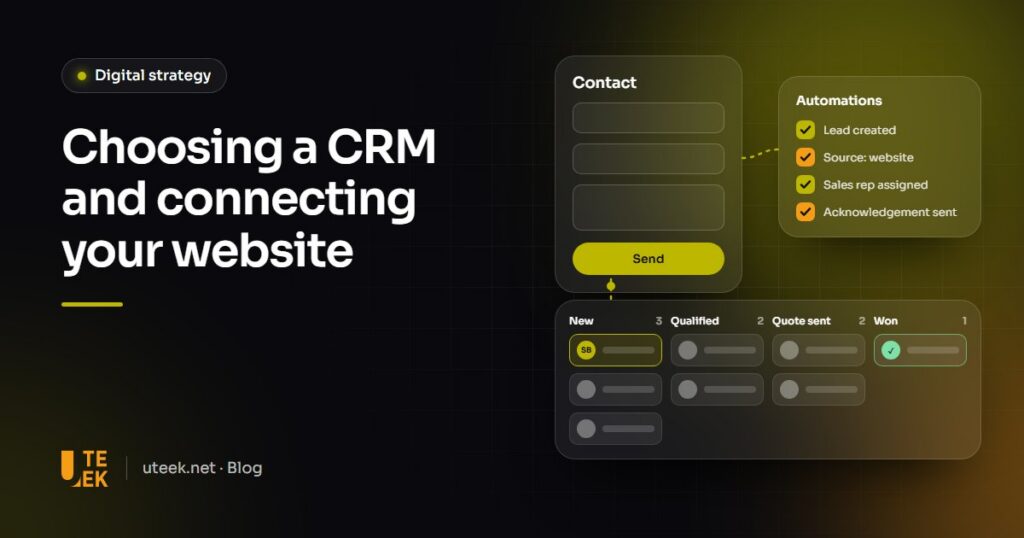
CRM for small business: the right tool is the one your sales team will use every day, that covers your real needs and connects to your website and email. Start by mapping your sales process, compare two or three solutions, then connect your forms to the CRM so every enquiry is recorded, assigned and followed up. Adoption and data quality matter more than the brand.
Key takeaways
- A CRM centralises contacts, deals, follow-ups and conversations, so no enquiry gets lost.
- Choose on adoption, integrations, data hosting and total cost.
- Connect your website while keeping each lead’s source and consent, without duplicates.
- Success depends on an internal owner, clean data and a trained team.
What does a CRM do for a small business?
A CRM (customer relationship management) is the shared database where a business tracks prospects, customers and conversations:
- Contact and company records: details, contacts and documents shared across the team.
- Sales pipeline: each deal moves through stages (new, qualified, quote sent, won or lost).
- Tasks and follow-ups: reminders so no prospect goes unanswered.
- Communication history: emails and calls attached to the contact.
- Quotes and reporting: quotes issued from the record, conversion rates, sales forecasts.
- Customer service: after-sales requests linked to the same customer.
Does your business need a CRM?
The need becomes real when these signs add up:
- Lost leads: website enquiries sit in a shared inbox or an Excel file.
- Missed follow-ups: nobody knows who calls whom back, or when.
- No visibility: no one can say how many deals are open, or at what stage.
How should you choose a CRM?
Check these points during the trial, using real cases.
| Criterion | Questions to ask |
|---|---|
| Ease of use and adoption | Can a salesperson log a deal in under a minute, without lengthy training? |
| Features you really need | Which ones will you use within six months? Do the others require a higher plan? |
| Integrations | Connectors for your website, email, accounting or ERP, telephony? A documented API? |
| Pricing model | Per-user pricing? Hidden costs: add-ons, storage, set-up, training? |
| Data hosting and protection | Where is the data hosted? Can you export everything at any time? |
| Languages and support | Interface in French and Arabic? Local support or partner? |
| Mobile and scalability | Does the mobile app work in the field? Will the tool cope if the team doubles? |
SaaS, open source or custom: which solution?
- SaaS CRMs: HubSpot, Zoho CRM, Pipedrive and Salesforce are subscription-based and quick to set up; costs rise with each user and your data is hosted by the vendor.
- Open-source or ERP-integrated CRMs: Odoo CRM builds on Odoo’s sales, invoicing and inventory modules and can be hosted in-house, with an integration partner to budget for.
- Custom-built CRMs: for highly specific processes (long sales cycles, technical quotes, dealer networks), at a higher initial cost.
How do you connect your website to your CRM?
Three ways to connect
- Native integration or plugin: embeddable forms or a WordPress plugin. HubSpot, for example, can collect submissions from non-HubSpot forms if its tracking code is installed and the form is not in an iframe.
- APIs and webhooks: the most reliable method. The website sends each enquiry through the API, and webhooks notify other tools of an event (a deal won, for example).
- Integration platforms: Make, Zapier or n8n (which can be self-hosted) connect tools without heavy development, for a fee.
What the connection must handle
- Lead source: store UTM parameters in hidden fields; the Google Analytics documentation recommends always setting utm_source, utm_medium and utm_campaign.
- Consent: an unticked checkbox, a privacy notice and the date of consent stored. In Tunisia, organic law no. 2004-63 of 27 July 2004 makes express, written consent the general rule; the GDPR also applies if you target the EU.
- Duplicates: match enquiries by email or phone to enrich the existing record.
- Acknowledgement and assignment: an instant confirmation email, then assignment to a salesperson by region, product or rotation.
- Lead scoring: points for profile and behaviour (pricing page viewed, quote request) flag the hottest enquiries.
How do you roll out a CRM in six steps?
- Map your sales process: lead sources, stages, roles and exit criteria.
- Clean and import your data: duplicates, formats, contacts with no legal basis.
- Configure the pipeline, required fields and access rights, keeping it simple.
- Connect the website and email, then test every form end to end.
- Train the team on real cases, with an internal champion.
- Measure adoption after a month (deals created, overdue follow-ups, incomplete records) and adjust.
Which mistakes should you avoid?
- Choosing from a feature list: the tool that ticks the most boxes is not necessarily the one your team will use.
- Over-customising: dozens of fields and automations at launch slow down data entry.
- No owner: without an internal owner, the rules fade.
- Neglecting data hygiene: duplicates and incomplete records distort reporting and erode trust.
FAQ
Is a free CRM enough for a small business?
It can be, to get started with a few users. Check the plan’s limits (contacts, automations, integrations, export) and the cost of upgrading, often where the real spending lies.
How long does it take to roll out a CRM?
It depends on team size, data volume and integrations. For a simple sales process, expect a few weeks; with an ERP and custom development, several months.
Can a WordPress website be connected to any CRM?
Almost always. Without an official plugin, the CRM’s API or an integration platform can take over. Either way, check that hidden fields such as lead source and consent are passed on.
Should you choose a CRM hosted in Tunisia?
Not necessarily, but the question matters: organic law no. 2004-63 makes the transfer of personal data abroad subject to authorisation from the INPDP, Tunisia’s data protection authority. Ask the vendor where its servers are and seek legal advice.
Connect your website to a CRM with Uteek
Uteek, a digital agency based in Les Berges du Lac 2, Tunis, connects websites and mobile apps to CRMs and, when your processes call for it, builds custom tools and AI-powered automations. Explore our web development and artificial intelligence services, or tell us about your project.
Related articles

How much does a website or app cost? The factors that drive the price
Project type, features, design, content, integrations, technology: what really drives the price of a website or app, and…
How to choose a web agency in Tunisia: 10 criteria for a successful project
Portfolio, method, UX/UI, SEO, maintenance, code ownership… The 10 criteria to check and the questions to ask before…
Business intelligence dashboards for SMEs: method, KPIs and tools
Spreadsheets that contradict each other, late figures, gut-feel decisions? The method to build business intelligence dashboards that are…